 FORGEDLIFE
For churches
One code on a slide. A leader in every group.
ForgedLife runs studies at your church: ours, like The Life You're Building, or ones you write. Members join from the app with a church code, and leaders and admins run every group from a web console.
Kickoff
How a study starts.
Four steps, in order. The first one is ours. The rest happen in the console, on a Sunday, and in the app.
ForgedLife sets up your church and its code
Email us. We create the church in ForgedLife with a short code, 3 to 12 letters and digits, and make your first admin. The code is the church's id and does not change. Your admin adds leaders, picks a study, and starts groups from it: one per leader, all on the same start date.
Church code
theforged.life/church/COMPASS
You put the code or QR on a slide
The console gives you the code, a link and a QR code. Put any of them on the screen at kickoff. The link opens a page that shows the code, opens the app if it is installed, and points to the App Store if it is not.

Members install, enter the code, and pick their group
In the app: Challenges, plus, Enter Church Code. The app sets their home church and shows the studies with groups running at your church. They tap the study, pick their leader's group, and join. Late joiners follow the same path any day.
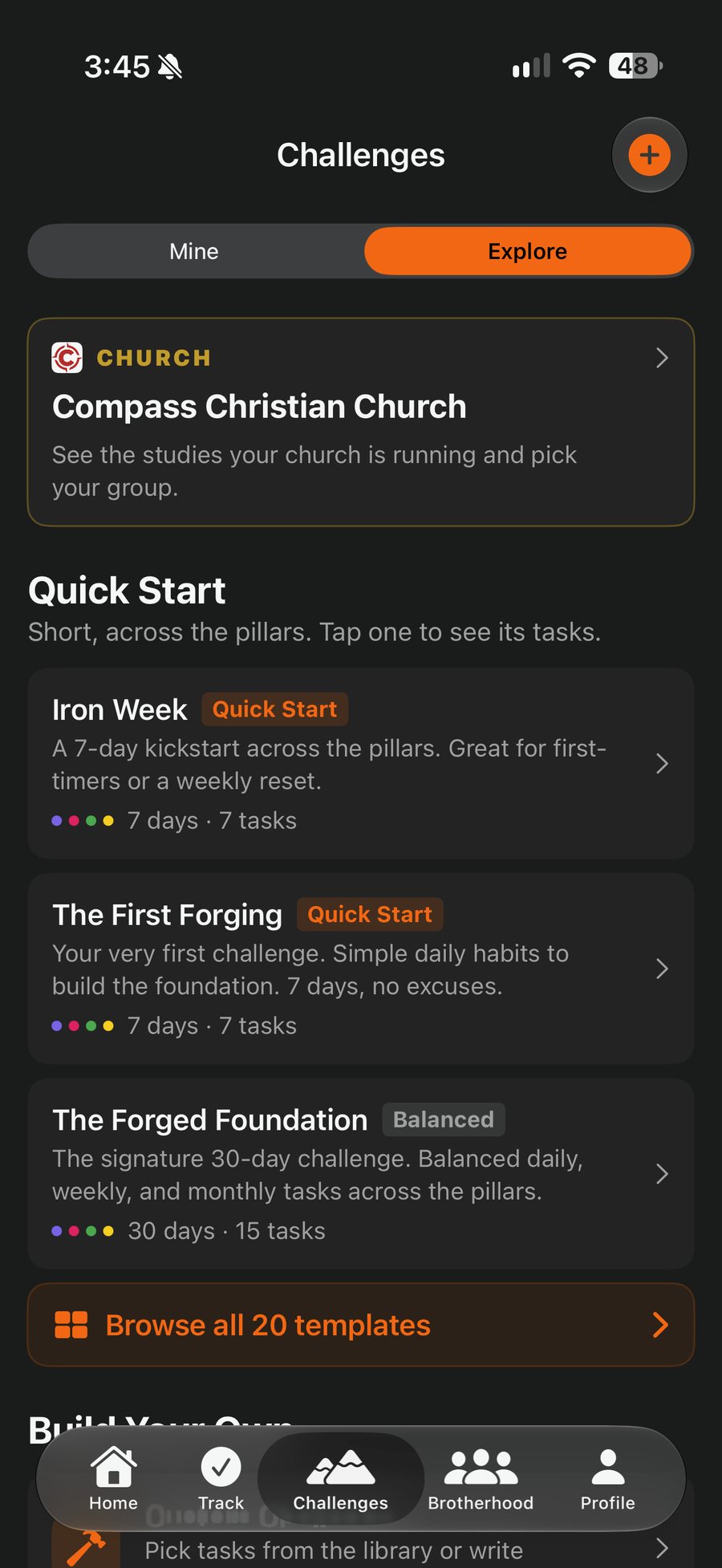
Leaders and admins run it from the console
The console is a website for church admins and leaders. Admins pick or write studies, start groups, manage the roster, and send announcements. Everyone with access sees the dashboard for each study and each group: session attendance, pre-work done, check-ins before and after, and members who have gone quiet for three or more days.
- StudiesOurs, or your own: weeks, tasks and points, written in the console. Run again next season from the same study.
- GroupsOne leader each. Start them from a study in one step, move members, close when done.
- RosterEveryone who entered your code, with an at-risk filter and CSV export.
- AnnouncementsOne-way push to members of the church.
- DashboardAttendance, pre-work, check-ins and at-risk members per group.

Dashboard
What the leader dashboard shows
Per study and per group: members, active this week, session attendance, pre-work completion, check-ins before and after, dailies per day, and who is at risk. Refresh on demand. Export to CSV.

What leaders can see
Participation only. Leaders and church admins see who is in which group, last activity, task completion, streaks, session attendance and pre-work. That is enough to notice who has gone quiet and go find them.
Never chat messages. Never prayer requests. Never email addresses. Those stay inside the group, and email is used for sign-in only.
The privacy policy spells out the same thing.
Pricing
One license per church, one year.
Every tier includes every ForgedLife study, your own studies, unlimited leaders and members, the console, the leader dashboard, and the kickoff kit.
Small church
Under 200 weekly attendance
Everything included. No per-member fees.
Mid-size
200 to 800 weekly attendance
Everything included. No per-member fees.
Large
800 to 2,000 weekly attendance
Everything included. No per-member fees.
Multisite or 2,000+
Talk to us about one license across campuses.
Start with a pilot season: run one study with one group of leaders before you buy.
Ask about a pilotFAQ for churches
Before you ask.
Who is the church admin?
The person we set up when we create the church, usually a pastor or the men's ministry lead. Admins can add other admins from the roster, so the role does not have to sit with one person.
How are leaders added?
A leader installs the app and enters the church code like everyone else. Then an admin switches him on as a leader, in the console under People or in the app under Profile, Church, Leaders. From there he can start his own group from a study, or an admin can start one for him.
What do members need?
An iPhone or iPad, the free app, and the church code. Sign in with Apple or email. No church account and no email list on our side.
Can we run our own study, not just yours?
Yes. A study in ForgedLife is a plan: the weeks, the tasks for each week, and the points. Write one in the console with the study editor, or fill in our one-page Study Brief (the book or curriculum, the weekly themes and scriptures, how your group meets) and we turn it into a full task plan that lands in your console as a draft. Change anything, mark it ready, and start groups. Points balance themselves so a full day is worth 100 XP.
What happens when the license ends?
Existing groups keep running, and members keep their history and their app. The church cannot start new groups until the license is renewed.
Can we run a women's study?
Yes. A study is set for men, women, or everyone, and groups are single-gender. Women's groups have their own chats and prayer walls. See For women.
Let us consider one another to provoke unto love and to good works: not forsaking the assembling of ourselves together.Hebrews 10:24-25
Bring it to your church.
Write to us and we will set up your church, your code, and a pilot group.